Every Residence, Kept to One Standard.
Run several homes, a rotating staff and dozens of vendors from one record the family owns. The house manual, the open work, the renewals and the spending stay with each residence when the people around it change.
Access codes stay sealed. Each reveal is logged with who asked and why.
When a Manager Moves On, the House Should Not Start Over.
Most estates run on a binder at one house, a shared drive for the others and what the longest-serving staff remember. Turnover takes that knowledge with it.
A manual for one house.
The binder sits in one residence’s office. The other homes run on email threads and memory.
Knowledge leaves with people.
A new house manager spends the first months learning which vendor, which valve and which preference.
A record for each residence.
With Hubstone, every home, system, vendor and protocol in one place the family owns, ready for whoever steps in next.
A Week in the House Office.
Select a day to see what the estate record does for the team.
See what needs attention first
The renewal radar lists warranties, household renewals and vendor insurance certificates with the soonest at the top. Coverage flags any day when a standing need has nobody scheduled.
 Alarm monitoring contractRenews in 9 days
 Pool service certificate of insuranceExpires in 21 days
 Water heater warrantyEnds in 26 days
 SaturdayNo housekeeper scheduled
What the Estate Workspace Holds.
One workspace across every residence, with a view for each person on the team.
- Residences and objects
- Each home with its rooms, systems and vehicles, down to the model, the manual and the floor plan.
- House manual protocols
- Starter chapters for housekeeping, valet and wardrobe, entertaining, emergencies, opening and closing the residence, grounds and security.
- Work orders and vendors
- Work goes out with the equipment’s record. Vendor insurance certificates are tracked before they lapse.
- Renewal radar
- Warranties, household renewals and vendor certificates in one list, with the soonest at the top.
- Staff and coverage
- Roles, shifts and the days when a standing need has nobody covering it.
- Expenses and budget
- Spending by residence and category against the budget, exported with your chart of accounts.
- Access codes
- Encrypted and hidden until someone with permission reveals one. Every reveal is counted and logged with its reason.
- Activity log
- An entry for every change. Nobody can edit or delete one.
- Connections
- An API, signed webhooks and a connector for AI assistants, with keys that carry only the permissions you give them.
A Binder for the House Office. A Live Record for Everyone Else.
Print the house manual for each residence from the same records the team keeps current. Put a Hubstone label on the generator, the pool equipment or the wine room cooler, and anyone you share it with can scan it for the instructions, the history and the vendor.
- Made for staff who will not open an app. A label and a printed page answer most questions where they come up.
- Reprint whenever the house changes. The binder comes from the live record, so the copy in the office can always be current.
What a person sees depends on what you share with them.
Where Hubstone Fits.
Hubstone is the record of the houses: the rooms, the objects, the protocols, the people, the vendors, what was done and what it cost. Payroll stays with your payroll service, the ledger with your accounting software and provenance with your collection system. Hubstone exports to them instead of replacing them.
Questions Estate Managers Ask
Can staff use it without seeing family records?
Yes. Share only what a person needs, such as one residence’s protocols or the instructions for one system, and end that access when they leave. Access codes and the family’s papers stay out of staff views.
Does it replace our operations or payroll software?
No. Hubstone holds the record of each house. Payroll stays with your payroll service, and expenses export with your chart of accounts for your accounting software.
How much setup does it take?
Start with what you already have: manuals, receipts, photos and the old binder. Hubstone proposes where each item belongs, and you confirm. The starter protocols give every chapter of the house manual a first draft.
How are access codes protected?
Codes are encrypted and stay hidden until someone with permission reveals one. Each reveal is counted and logged with its reason, and AI assistants never see them.
Can it connect to the rest of our stack?
Yes. The API, signed webhooks and the AI assistant connector work with Zapier, Make and your own tools. Each key carries only the permissions you give it, and every change made through a key is logged under its name.
What does it cost?
Pricing for professionals is set with each firm during the pilot, and nothing is charged without your agreement first. A record you hand to a client is free for them to receive.
One Residence, Kept So the Next Manager Can Read It.
The house book for the Bennett Residence as its house manager kept it through 2025: who comes when, who to call, what the house needs each month, and the standard it is kept to.
The Bennett household
House book, 2025
Page 1 of 6
The residence
The page a new manager, or a relief manager, reads first.
- Residence
- 5402 Cameo Road
- Principals
- Rachel and Ben Bennett
- House manager
- Nora Whitfield, since April 1, 2025
- Record received
- From the renovation’s handover, March 24, 2025
- Staff
- Housekeeper, Monday and Thursday; gardener, Wednesday
- Vendors on file
- 6, each with its own view of the house
- Staff pack
- Sent April 7, 2025: vendors and staff for 180 days, owner review for 30
- Staff pack renewed
- October 6, 2025
- Kept from every view
- Alarm and safe codes, and the principals’ private notes
Page 2 of 6
The standing week
Who is in the house, when, and what they are there to do.
| When | Who | What | Reads from |
|---|---|---|---|
| Monday, 9:00 to 1:00 | Housekeeper | Kitchen, living room, entry; oak floors damp-mopped | Staff view: floor and stone care |
| Wednesday, 8:00 to 11:00 | Gardener | Beds, patio, gutters checked from the ground | Staff view: hose bibs and outdoor power |
| Thursday, 9:00 to 1:00 | Housekeeper | Bedrooms, baths, laundry; cushions turned on the first Thursday | Staff view: upholstery and laundry |
| First Tuesday of the month | Seabright Spa Service | Hot tub water tested and balanced; filter rinsed | Vendor view: Hot Spring Hot Spot Relay |
| First Friday of the month | House manager | GFCI outlets tested; alarms checked; filters looked at | The whole record |
Page 3 of 6
The vendor book
Each vendor opens only the part of the house they service. Their last visit is on the record they worked on.
| Trade | Firm | Last visit in 2025 | What it was |
|---|---|---|---|
| Plumbing and heating | Laurel Plumbing & Heating | September 16 | Heating service before the season; filter replaced |
| Electrical | Calder Electric | August 5 | Patio receptacle cover replaced |
| Hot tub | Seabright Spa Service | December 2 | Monthly service; cover lock checked |
| Builder, under warranty | Stonebridge Builders | April 23 | Thirty-day visit; one cabinet door re-hung |
| Roofing | Seaward Roofing | March 11 | Gutters cleaned; south slope looked at |
| Upholstery | Cedar Lane | March 18 | Sofa returned after re-covering |
Page 4 of 6
The year, month by month
Each task sits on the thing it concerns and comes due there. This is the same list, laid out as a year.
| Month | Task | On the record for | Done in 2025 |
|---|---|---|---|
| January | Replace the return air filter | Heating and cooling | Before this book began |
| March | Clean gutters; check downspout extensions | Gutters and downspouts | March 11 |
| April | Cooling service before summer | Heating and cooling | April 15 |
| June | Drain, clean and refill the hot tub | Hot tub | June 3 |
| July | Replace the refrigerator water filter | Refrigerator | July 8 |
| September | Heating service; replace the filter | Heating and cooling | September 16 |
| October | Test every alarm; clean the dryer duct | Alarms; dryer | October 3 |
| November | Clean gutters after leaf fall | Gutters and downspouts | November 19 |
| December | Water heater looked over; relief valve and pan checked | Water heater | December 5 |
Page 5 of 6
The standard the house is kept to
Written once, on the thing itself, so the standard does not depend on who is working that day.
| Thing | The standard | Who reads it |
|---|---|---|
| White oak floors | Swept or vacuumed weekly; damp-mopped with the oak cleaner; felt pads under every leg. | Housekeeper |
| Quartz countertops | Warm water and mild soap. Trivets under hot pans. No bleach or oven cleaner. | Housekeeper |
| Aged brass faucet and hardware | Dry cloth only. The brass darkens where hands touch it; that is intended. | Housekeeper |
| Sofa and chairs | Cushions turned and swapped monthly so they wear evenly. | Housekeeper |
| Hot tub | Covered and locked whenever it is not in use. | Everyone |
| When the family is away | Water heater left on; thermostat set back; hot tub serviced as usual. | House manager |
| Before the family returns | Refrigerator water run; beds made; entry lamps on. | Housekeeper |
Page 6 of 6
What a new manager would read
The last entries of 2025. Nothing here lives only in someone’s memory.
- October 6, 2025Staff pack renewedNew links for vendors and staff. The April links had ended on their own.
- November 19, 2025Gutters cleanedNortheast downspout extension reseated after it was knocked loose.
- December 5, 2025Water heater looked overPan dry, relief pipe clear. The tank dates from 2015; replacement is noted for the principals to decide, not scheduled.
- December 12, 2025Year-end owner review sentOpen for 30 days. It shows the year’s visits and what is due in the first quarter.
The Residence Record, Line by Line.
Each residence starts with the same records, kept to the same standard, so the next manager reads the house instead of relearning it.
- Start the residence’s record.
- Create the staff pack.
- Open the estate workspace for work orders and renewals.
Heating and cooling8 lines
Starts as: Handoff template: read the label on the equipment and fill in the brand, model, and install date. Add the filter size, and where the thermostat is under "For residents".
- A photo of the rating labelBrand, model and serial are read from the label, never from memory. The photo settles any later question.
- Exactly where it isIndoor unit, outdoor unit and thermostat each get their place. A technician should walk straight to all three.
- Filter size and where the filter slides inThe single most asked question about a heating and cooling system. Write the size printed on the frame.
- Fuel, and where its shutoff or breaker isGas valve or breaker number, so the system can be made safe before anyone arrives.
- How the thermostat is set, under "For residents"The people living there read how to use it, in plain words.
- The install date, and who installed itAge decides most repair-or-replace conversations, and the installer is the first call under warranty.
- Service visits, with the invoiceEach visit is added to the same record, so the next technician reads what the last one did.
- Warranty paperwork and the registrationAttached to the record as a document, so it is found by opening the thing it covers.
Water heater8 lines
Starts as: Handoff template: read the label on the equipment and fill in the brand, model, and install date.
- A photo of the rating labelBrand, model and serial are read from the label, never from memory. The photo settles any later question.
- Exactly where it isRoom and corner. Include the drain pan and how much room there is to work.
- Fuel and capacity, from the labelElectric or gas and the tank size decide what can replace it.
- The breaker or gas valve, and the cold water shutoffWhat to turn off first if it leaks.
- Temperature setting as leftRecorded once so a change is noticed.
- The install date, and who installed itAge decides most repair-or-replace conversations, and the installer is the first call under warranty.
- Flush, anode and relief valve checksLogged when a professional does them. Left blank until then.
- Warranty paperwork and the registrationAttached to the record as a document, so it is found by opening the thing it covers.
Filled in, on Cameo Road: water heater
- Where
- First floor, laundry
- Make and model
- Rheem XE50T06ST45U1
- Size
- 50 US gal, tall electric tank
- Installed
- 2015
- Breaker
- 24 / 26
- Connections
- Electric tank; breaker 24 / 26 in the existing home record. Verify the rating plate before electrical work.
- Before replacing
- Published model dimensions. Measure the installed tank, drain pan and service access before replacement.
- To check
- Log professional tank, anode, relief-valve and electrical inspections. Record leaks or changes in hot-water performance.
Main water shutoff5 lines
Starts as: Handoff template: note exactly where the shutoff is and how to turn it.
- Exactly where it isRoom, wall and height, with a photo wide enough to find it in a hurry.
- How to turn itLever or wheel, and which direction closes it.
- The shutoff at the streetWhere the meter box is and what tool it takes.
- What else has its own valveWater heater, toilets, the refrigerator line and the hose bibs.
- When it was last turnedA valve that has not moved in years is noted as untested.
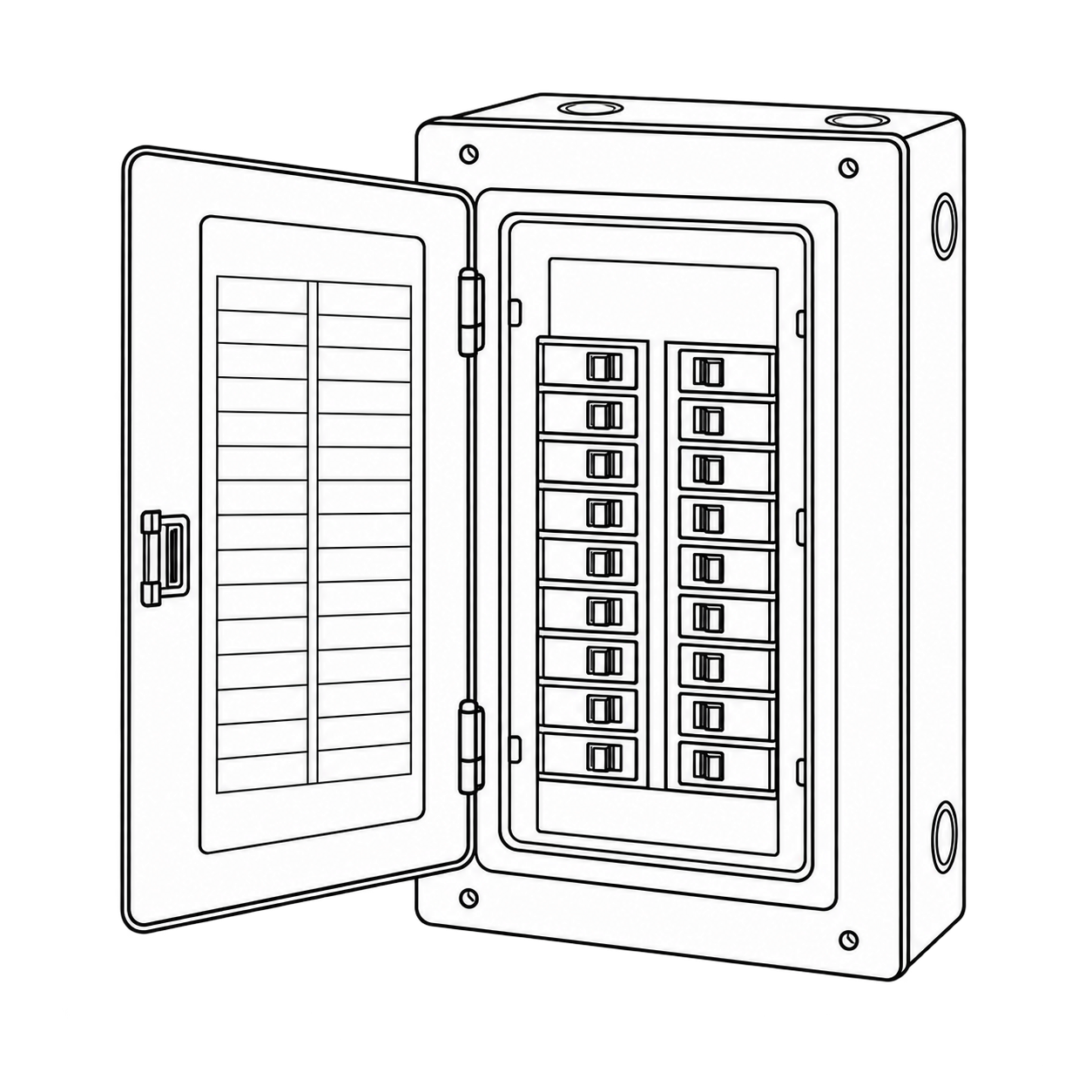
Electrical panel7 lines
Starts as: Handoff template: note where the panel is and which breakers matter.
- Maker and rating, from the labelRead from the accessible label. An electrician confirms anything behind the cover.
- Exactly where it isWall and room, with a photo of the closed panel in its setting.
- The main disconnectIts confirmed location and a photo of the labeled handle.
- A dated circuit directoryAttached as a document. A directory with no date is treated as unconfirmed.
- The breakers that matterWater heater, range, heating and cooling, and anything on the exterior.
- Other power sourcesSolar, battery or generator, with their disconnects, or a plain "none".
- The electrician and the last visitName, date and invoice.
Smoke and carbon monoxide alarms5 lines
Starts as: Handoff template: note where each alarm is and when it was last replaced.
- Each alarm, by roomA count is not enough. Each one has a place.
- Smoke, carbon monoxide or bothRead from the device.
- Hardwired or battery, and the battery typeSo the chirp at night has an answer.
- The manufacture date on the backAlarms expire. The date printed on the device is the one recorded.
- When each was last testedLeft blank until someone presses the button.
Refrigerator7 lines
Starts as: Handoff template: read the label on the equipment and fill in the brand, model, and install date.
- A photo of the rating labelBrand, model and serial are read from the label, never from memory. The photo settles any later question.
- Water line and its shutoffWhere the ice maker line starts and how to close it.
- Water filter part referenceThe filter this model takes, so a replacement is one search.
- The opening and the delivery pathCabinet opening, door swing and the narrowest doorway on the way in.
- The install date, and who installed itAge decides most repair-or-replace conversations, and the installer is the first call under warranty.
- The manual for this exact modelLinked or attached once. Nobody searches a drawer or guesses from a similar model.
- Warranty paperwork and the registrationAttached to the record as a document, so it is found by opening the thing it covers.
Filled in, on Cameo Road: refrigerator
- Where
- First floor, kitchen
- Make and model
- GE GNE27JYMFS
- Size
- 27.0 cu ft, French-door refrigerator
- Connections
- Record the outlet, breaker and ice-maker water shutoff. Confirm actual water-line routing at the home.
- Before replacing
- Measure the cabinet opening, hinges, handles, door swing and delivery path. Overall size is not the required installation opening.
- To check
- Check door seals and the visible water connection. Record filter changes and temperature concerns as they occur.
Range / oven7 lines
Starts as: Handoff template: read the label on the equipment and fill in the brand, model, and install date.
- A photo of the rating labelBrand, model and serial are read from the label, never from memory. The photo settles any later question.
- Fuel and connectionGas, electric or dual fuel, with the circuit or the gas shutoff location.
- The opening it sits inWidth, counter height and what is behind it, measured at the house.
- Anti-tip bracket confirmedA yes from the installer, with the date.
- The install date, and who installed itAge decides most repair-or-replace conversations, and the installer is the first call under warranty.
- The manual for this exact modelLinked or attached once. Nobody searches a drawer or guesses from a similar model.
- Warranty paperwork and the registrationAttached to the record as a document, so it is found by opening the thing it covers.
Filled in, on Cameo Road: range & oven
- Where
- Kitchen, cooking wall
- Make and model
- GE JB735SPSS
- Size
- 30 in class, freestanding electric range
- Connections
- Electric cooking appliance. Have the installer record the actual circuit, receptacle and cord configuration.
- Before replacing
- Record counter height, opening width, rear connections and oven-door clearance. Have the anti-tip installation checked by the installer.
- To check
- Inspect the cooktop, oven-door seal and racks. Keep the installation instructions with the anti-tip record.
Washer and dryer6 lines
Starts as: Handoff template: read the label on the equipment and fill in the brand, model, and install date.
- A photo of the rating labelBrand, model and serial are read from the label, never from memory. The photo settles any later question.
- Supply valves, drain and the dryer vent routeOne photo each, so a leak or a clogged vent has a first step.
- Whether they stay with the houseAnswered before anyone asks at closing or at move-out.
- The install date, and who installed itAge decides most repair-or-replace conversations, and the installer is the first call under warranty.
- The manual for this exact modelLinked or attached once. Nobody searches a drawer or guesses from a similar model.
- Warranty paperwork and the registrationAttached to the record as a document, so it is found by opening the thing it covers.
What leaves your hands
The staff pack
Three views of one property, made in a single step. Each link is for one audience and ends on its own.
- Vendors
- Models, locations, instructions and documents for the job. Replacement planning and private notes are left out. Open for 180 days.
- Staff
- How things work, written for the people living there. Models, warranties, access codes and private notes are left out. Open for 180 days.
- Owner review
- The record for the house with its documents. Access codes, private notes and anything marked private to you are left out. Open for 30 days.
Anything not yet known is left blank and shown as not recorded. A record never guesses a model, a date or a warranty.
What You Get, and What Your Client Gets
- You get
- One workspace across every residence: house manual protocols, work orders, vendors and their certificates, renewals, staff coverage, expenses, sealed access codes and an activity log.
- Your client gets
- The family owns the record of each house. A principal report brings the month together: work completed, spending against budget and what comes next.
- Handoff
- When a manager or a staff member moves on, their access ends and the record stays with the residence for whoever steps in.
- Cost
- Pricing for professionals is set with each firm during the pilot, and nothing is charged without your agreement first. A record you hand to a client is free for them to receive.
Keep Every Residence Ready.
Tell us about the residences and the team you run. We will help you set up the first house.
A request does not start a subscription or charge your client.